Meeting notes that write themselves
Neural Summary is an AI productivity app that records your meetings and turns them into transcripts and summaries. There is a free plan, but it is limited to three meetings a month. If you need more, there are paid options that give you access to more advanced features.
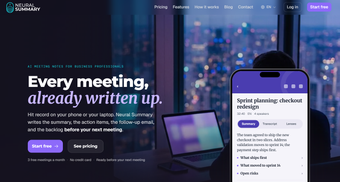
Neural Summary is simple to use. You simply hit record, and the app handles the note-taking while you actually listen and join the conversation. No more scrambling to type everything down or worrying that you might miss something important. You’ll get the summary once the meeting wraps up.
A smart assistant for follow-through
Neural Summary does more than dump a wall of text on you. It picks out action items so tasks do not get forgotten until the next meeting or until someone asks for an update. It can also label speakers, so you’ll know who said what. It helps you follow the conversation easily, see who owns each task, and rely on a summary that groups topics neatly instead of jumbling everything together.
It works with the tools you probably already use, including Zoom, Teams, and Meet. You are not limited to video calls either, since you can record while listening to a YouTube video or any audio file. Recording keeps going even when your phone screen is locked, and transcription covers more than 99 languages, which is handy for international teams and multilingual calls.
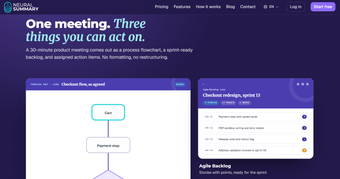
This note-taker stands out with its Lenses feature, which summarizes the same recording in different ways. One meeting can become a list of action items, an agile backlog, or a process map. This suits many industries, such as sales, marketing, engineering, and more. However, no bot joins your meeting to record it automatically, so if you’re used to automatic recording, you’ll need to remember to start the recording yourself.
A relief for busy professionals
In conclusion, Neural Summary is a useful option if you want more than just a transcript after a meeting. Its Lenses let you turn the same conversation into meeting minutes, follow-ups, action items, and other formats without starting from scratch. It takes some getting used to, but the free plan gives you a chance to try its main features first.